PikaStream: Real-Time AI Avatars, Voice Cloning, and Agentic Meetings
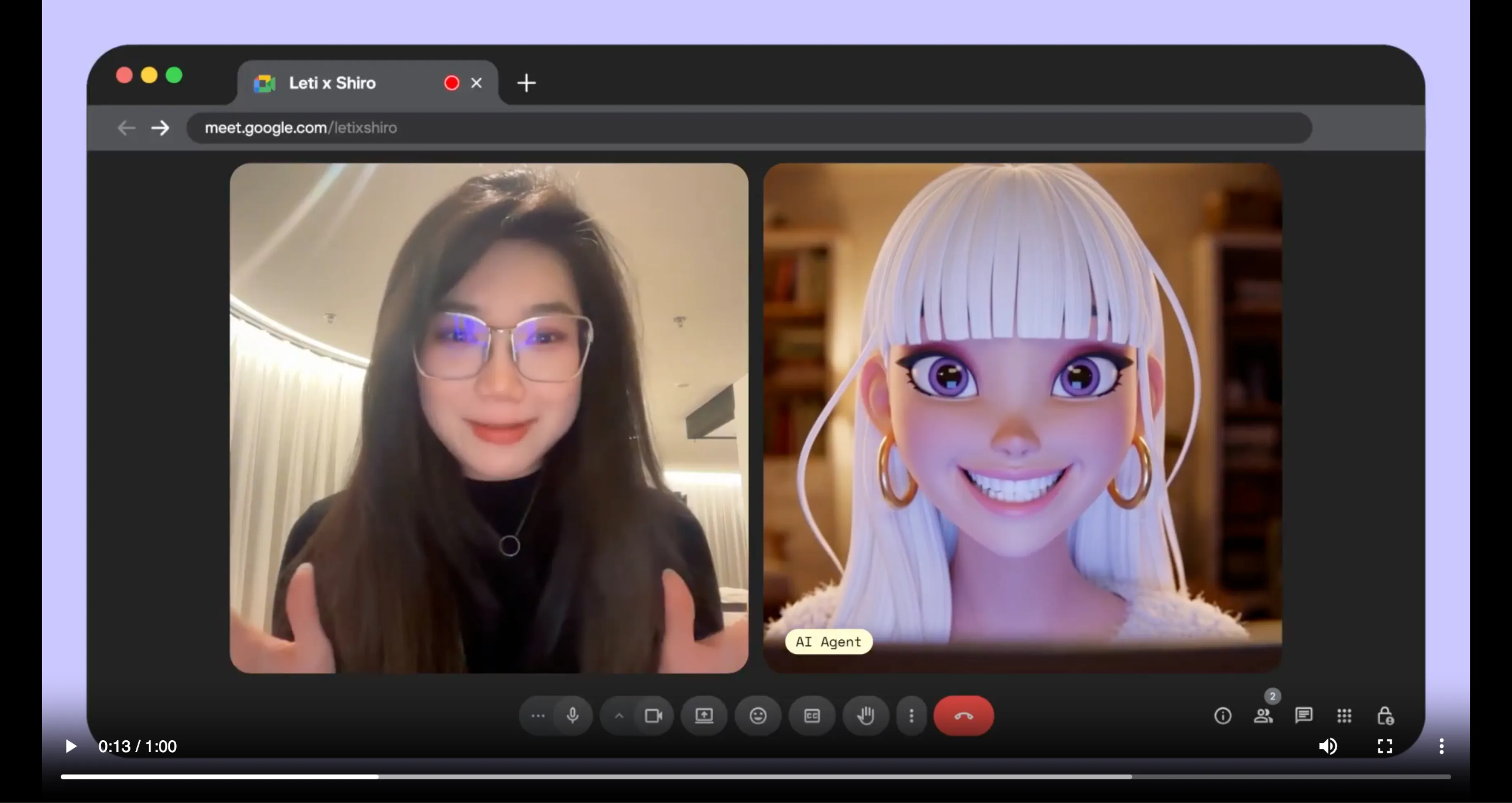
"The first video chat skill ever designed to work with any AI agent."
INTRODUCTION
There is a simple truth about human communication that no amount of text-based technology has managed to fully overcome: conversations go better when there is a face and a voice behind them. Reading words on a screen is efficient, but it is rarely personal. It rarely builds trust at the same pace that a real-time exchange between two visible, audible participants does. This is as true for conversations between two people as it is for conversations between a person and an AI agent.
Pika Labs, the company behind some of the most recognized AI video generation technology available today, has built something that directly addresses this gap. PikaStream 1.0 is a real-time AI model that powers the first video chat skill ever designed to work with any AI agent.
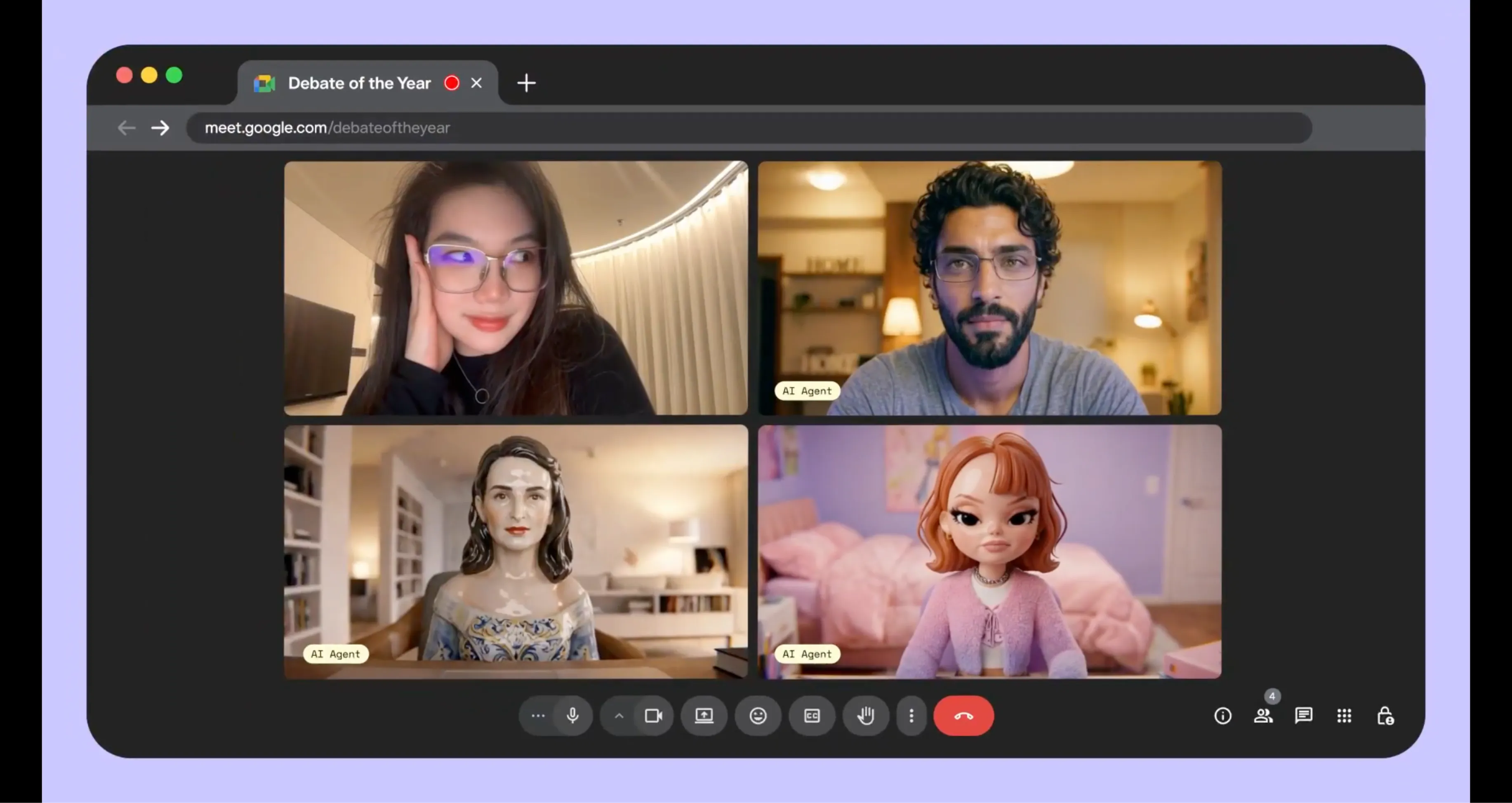
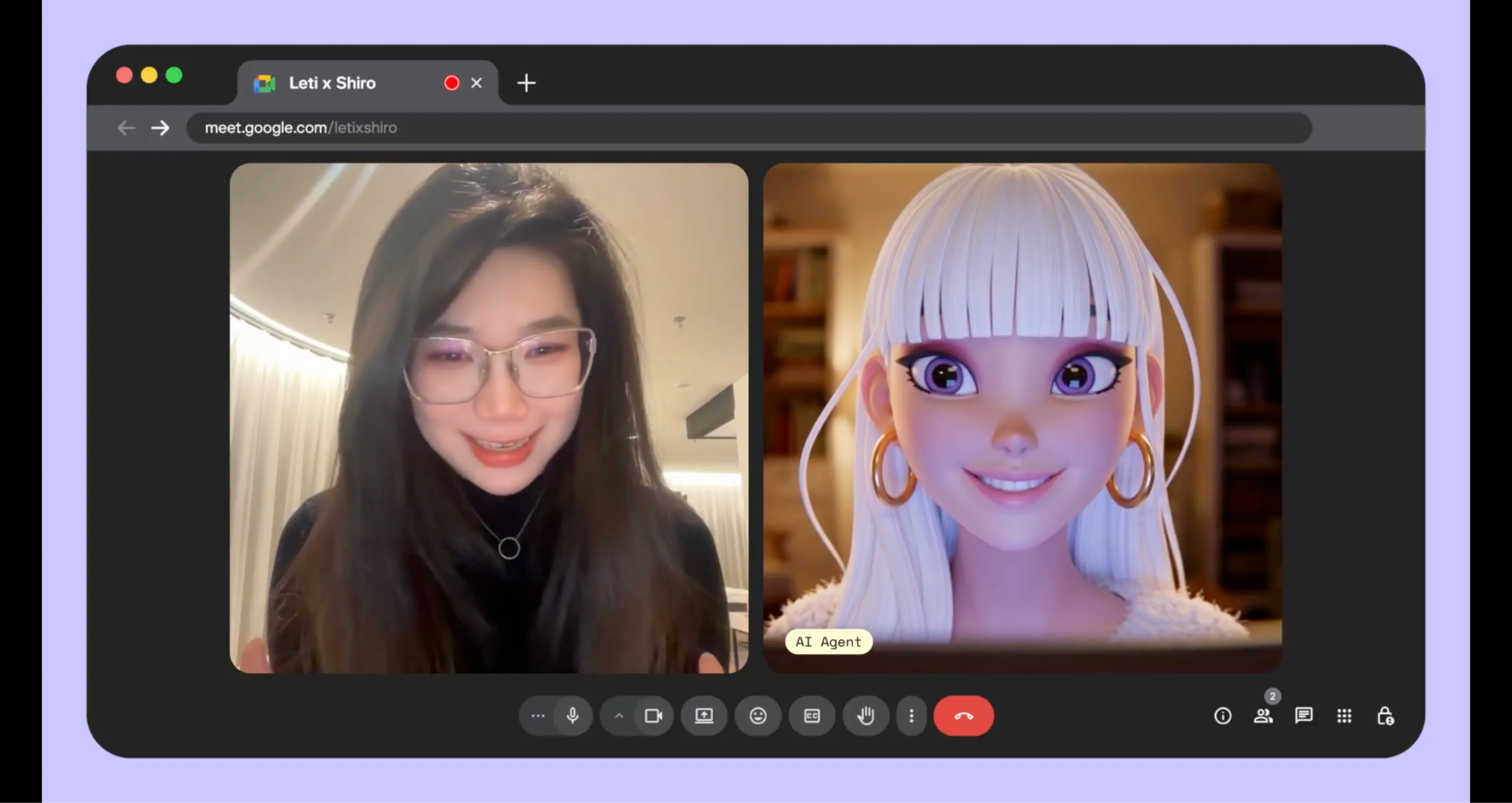
In its beta release, PikaStream introduces the ability for AI agents to join live video meetings with a rendered avatar, a synthesized or cloned voice, preserved memory, consistent personality, and the capacity to execute tasks during the call itself. It is not an incremental improvement on existing meeting bots. It is a different kind of technology altogether.
This guide covers everything you need to know about PikaStream, from what it is and how it works, to its full feature set, step-by-step setup instructions, use cases, command references, system requirements, and what it means for the future of human-AI interaction.
WHAT IS PIKASTREAM?
PikaStream is the real-time AI model at the core of Pika Labs' new video chat skill. It enables AI agents to participate in live video conversations with a visual and vocal presence, rather than operating silently in the background or responding only through text interfaces.
The PikaStream model is distinct from general-purpose language models in that it is purpose-built for live interaction. Where most AI systems are designed around a request-and-response cycle, PikaStream is engineered for continuous, adaptive, real-time engagement.

This means it does not simply wait for a turn to speak. It maintains awareness of what is happening in the meeting, synthesizes context from the user's workspace and identity, and adjusts its responses naturally as the conversation develops. PikaStream 1.0 is the first version of this model, released in beta form. It is already capable of powering full video meeting sessions through the pikastream-video-meeting skill, and it is expected to grow in capability and platform support as the technology matures.
WHAT IS THE PIKASTREAM VIDEO CHAT SKILL?
The video chat skill is the installable module that brings PikaStream's capabilities into your AI agent's workflow. It is part of Pika Labs' open-source initiative called Pika Skills, which is a collection of self-contained modules designed to extend the native capabilities of AI coding agents.
Understanding the Components
The instruction manual for the agent. Defines triggers, actions, and workflows for automatic skill execution.
The engine. Contains the Python code that communicates with the Pika Developer API to manage the meeting.
Self-contained dependencies. The agent installs everything automatically upon setup.
The pikastream-video-meeting skill specifically enables an AI agent to join a Google Meet call as a real-time AI avatar. It handles the full lifecycle of the meeting session, from pre-call billing checks to in-call conversation and post-call note retrieval. It is designed to work with any AI coding agent that can read SKILL.md files and execute Python scripts.
KEY FEATURES OF PIKASTREAM
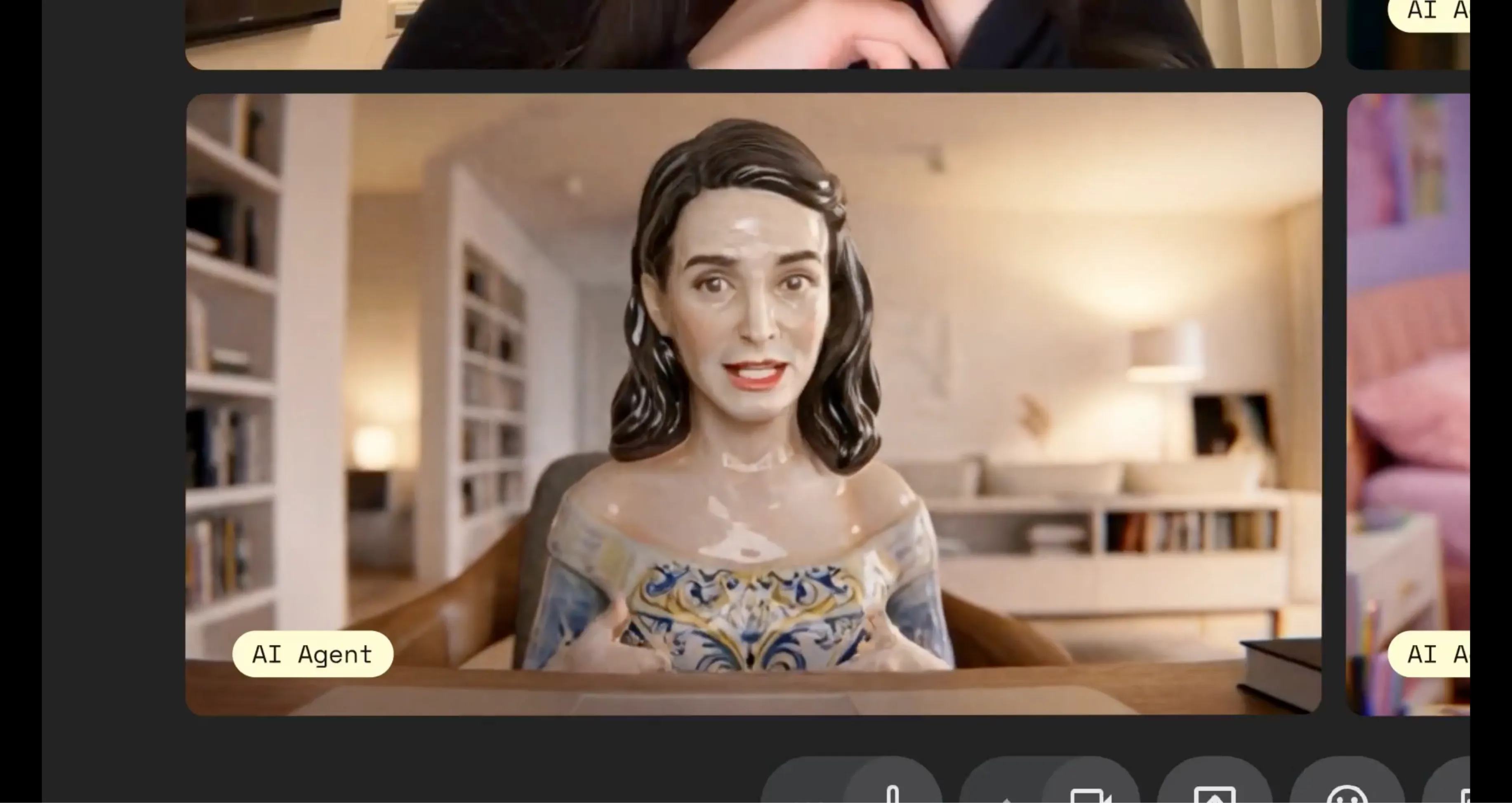
Renders a live, animated avatar that responds and adapts in real time as the agent speaks. Not a static tile or bot icon.
Supports voice cloning from short audio recordings, allowing the agent to sound like you or maintain a consistent brand voice.
Built-in generation powered by OpenAI image models. Create a professional avatar from a simple text prompt.
The agent carries memory across interactions, remembering previous participants and maintaining character continuity.
The agent can take action during calls—pull documents, write summaries, or update status reports in real time.
Synthesizes workspace context to inform responses, ensuring the AI participant is informed and relevant.
Pre-checks account balance at $0.20/min and generates payment links transparently to prevent session cutoffs.
Automatically retrieves and shares key points and summaries after the session ends, closing the information loop.
SUPPORTED AGENTS
PikaStream is explicitly agent-agnostic. It works with any AI coding agent that can read
For users of the Pika AI Self, the integration is the tightest, unlocking task execution, deep context synthesis, and full memory continuity.
PRICING
Usage-based model ensures you only pay for active bot time. No hidden fees or subscription minimums.
HOW TO GET STARTED
Get a Pika Developer Key
Visit pika.me/dev to generate your Developer Key. It begins with
Set Environment Variable
Make your key available to the scripts via your terminal:
export PIKA_DEV_KEY="dk_your-key-here"Install the Skill
Clone the Pika Skills repo and point your AI agent to the specific skill directory for automatic installation:
install /path/to/pikastream-video-meeting/Use It Naturally
Drop any Google Meet link into your conversation. The agent will check your balance, configure settings, and join automatically.
PIKASTREAM USE CASES
Remote Teams & Meetings
Send your Pika AI Self to routine standups or syncs. It provides status updates, answers questions, and returns notes while you focus on production.
Customer Support
Deploy agents with professional avatars and consistent personalities to handle video inquiries with deep knowledge of customer history.
Developer Automation
Automate meeting attendance, reporting system statuses, and taking real-time follow-up actions like filing tickets mid-call.
Education & Tutoring
Offer live AI tutoring that remembers students from session to session, delivering instruction in a high-engagement face-to-face format.
COMMANDS REFERENCE
Join a Google Meet
python scripts/pikastreaming_videomeeting.py join \ --meet-url <url> \ --bot-name <name> \ --image <img> \ [--voice-id <id>]Leave a Meeting
python ... leave --session-id <id>Clone Voice
python ... clone-voice --audio <file>FREQUENTLY ASKED QUESTIONS
Ready to Upgrade Your Agent?
"Getting started takes only minutes. The potential it unlocks for your workflow is considerably larger."